Showing posts with label Application User Guide. Show all posts

Saturday, February 7, 2015

6000 most common Koreans - Android application

6000 most common Koreans arcording to The National Institute of The Korean Language (국립국어원) with English definition, sound and further explaination.

This application have 3 modes for you to learn these words:
- Browsing (list all words in order)
- Gaming (randomly show words)
- Reviewing (review marked words)


1. Browsing 

All words are listed in order.
There are two ways to sort words in list, you can change it in settings:
- Commonality: more common word goes first (default)
- Name: sort by alphabet
Click on a word in the list to see definition. The star icon represents difficult level of the word (one star is the easiest).
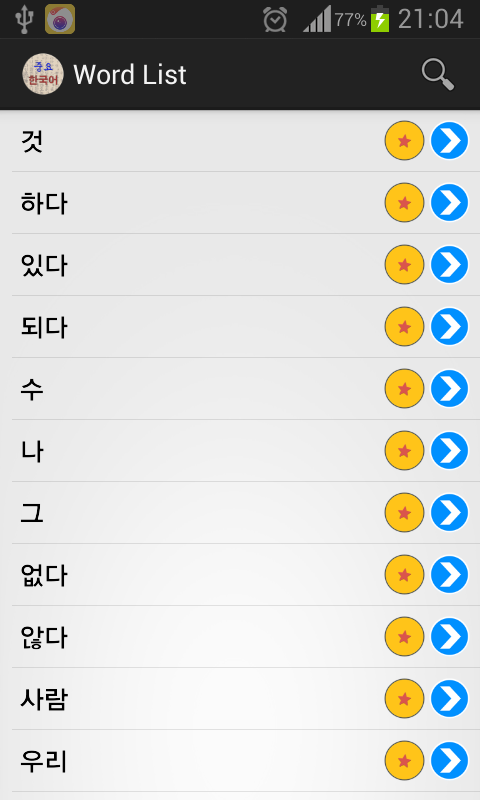

You can search a word by clicking the search icon at the top of the list and type your word.

 You can do some actions with the word by clicking on blue arrow button:
- Dismiss it: not see it again in list, or when browsing in random mode.
- Add to review: add it to your review list. It will be showed in reviewing mode.
- Next: see the next word in list.
- Play sound (click on sound button): play word's pronunciation (require Internet connection)
 - See web reference by clicking on web icon: you can see further explaination, examples by seeing web reference. You can select source of reference in setting (Naver Korean Dictionary or Naver English Korean Dictionary)

 2. Gaming

Words are showed randomly, with definition is hidden. You guess it, then click show definition button. If your guess is correct, then dismiss it, if not, you should add to review or simply go to next word.

3. Reviewing

All your words you added to review will be showed in added time order (added first go first). You guess definition of word, and click show definiton. You can choose to remove it from review if you are sure you remember it, or review again if you can't guess it, or next to see other word if you still remember it (the word is still in review, but you will not see it again today, but sometime in the future).

4. Settings

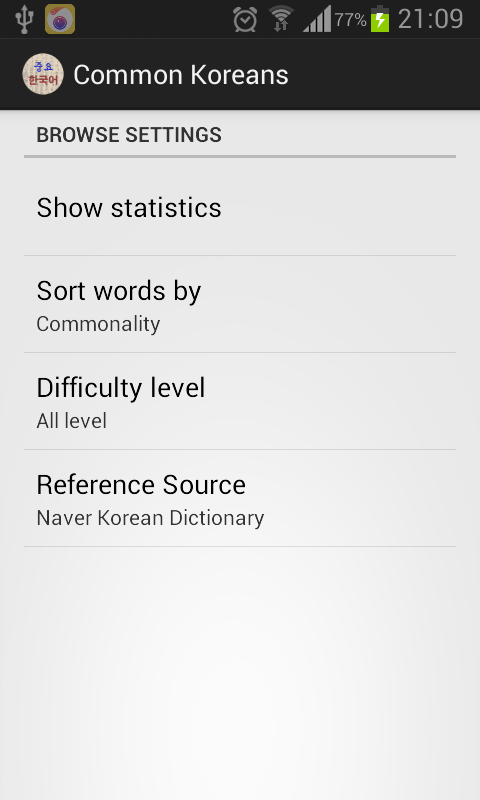
- Show statistics: seeing your learning status including: total words in review, today review remain, total dismissed words. You can reset (get back all dismissed words) or reset review (remove all words in review)
- Sort words by: set the list order.
- Difficulty level: choose which level you want to see.
- Reference source: select web reference soure.
5. Download

Get it free in Google Play Store

Tuesday, July 15, 2014

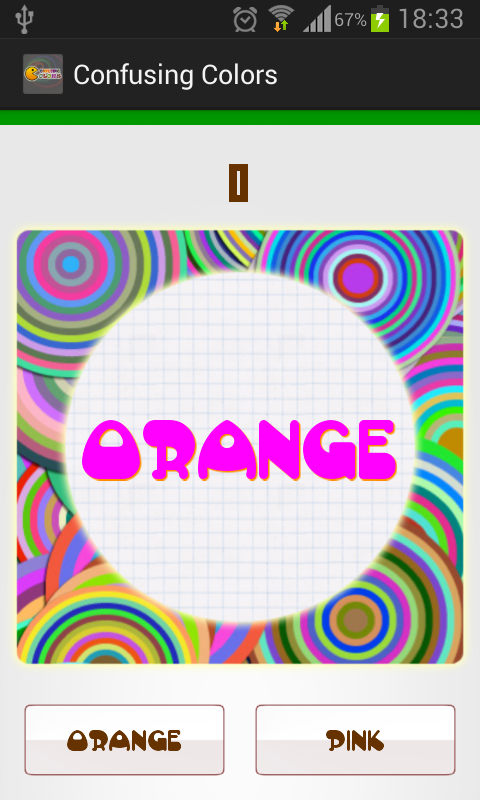
Confusing Color - A funny Android game for Stroop Test

The famous "Stroop Effect" is named after J. Ridley Stroop who discovered this strange phenomenon in the 1930s. Here is your job: name the colors of the following words. Do NOT read the words...rather, say the color of the words. For example, if the word "BLUE" is printed in a red color, you should say "RED". Say the colors as fast as you can. It is not as easy as you might think!


WHY?

The words themselves have a strong influence over your ability to say the color. The interference between the different information (what the words say and the color of the words) your brain receives causes a problem. There are two theories that may explain the Stroop effect:

- Speed of Processing Theory: the interference occurs because words are read faster than colors are named.
- Selective Attention Theory: the interference occurs because naming colors requires more attention than reading words.

SO?

Do you want to try a simple, fun Android game based on this nice effect? All you need to do is choosing the button that matches the color of the center text. Does it look easy? Try it! Click image below and install it from Google Play Store. It's free, of course.


 https://play.google.com/store/apps/details?id=com.ndquangr.confusingcolor


Thursday, June 19, 2014

Từ điển Hán Việt cho Smartphone

(Hướng dẫn sử dụng phiên bản Android 4.0 có tại đây http://ndquangr.blogspot.kr/2016/04/tu-ien-han-viet-android-version-40.html)

1. Giới thiệu

Từ điển Hán Việt cho người học, nghiên cứu Hán Nôm trên điện thoại sử dụng hệ điều hành Android, IOS (IPhone, IPad, IPod Touch). Từ điển có các chức năng chính như sau:

1.1 Tra từ Hán Việt, Việt Hán

Từ điển mới chỉ có chức năng dịch từ từ Việt gốc Hán sang chữ Hán và ngược lại chứ chưa có chức năng dịch từ thuần Việt sang tiếng Hán (Ví dụ: chỉ có thể tìm được từ "nhân" (nghĩa là "người") chứ không tìm được từ "người").

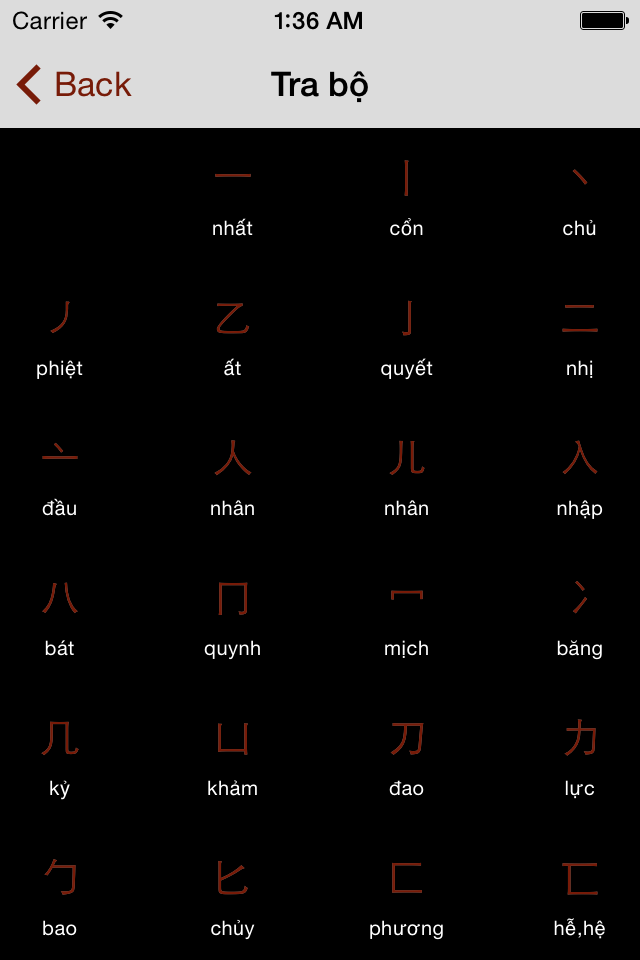
1.2 Tra theo bộ

Từ trong bộ được sắp xếp theo thứ tự số nét tăng dần.

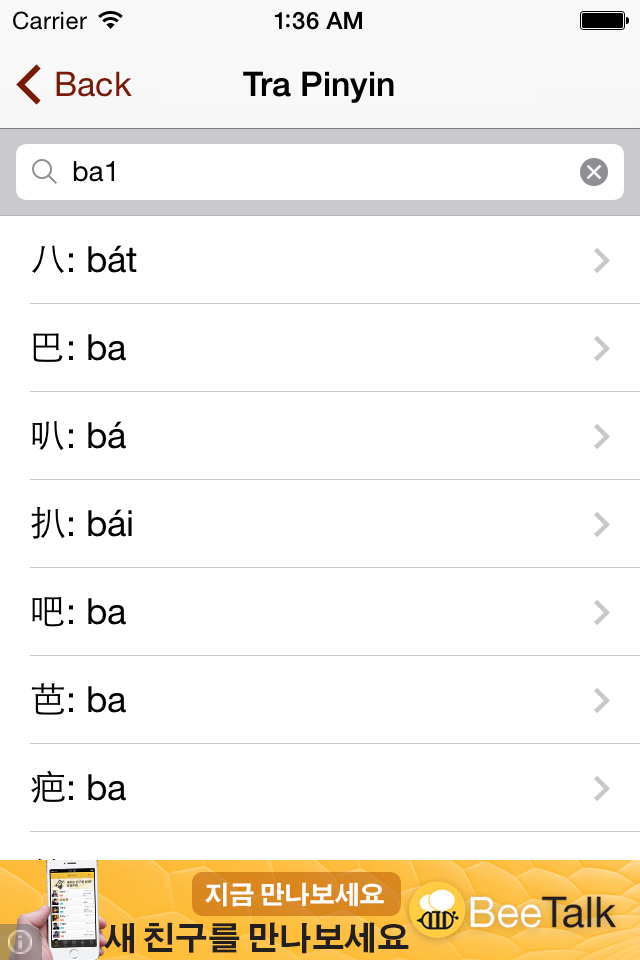
1.3 Tra theo mã Pinyin

Sử dụng mã pinyin dạng ba1, ma3...

1.4 Tra theo mã Unicode 

Chức năng này chỉ có trên phiên bản cho Android.

2. Từ điển Hán Việt Android

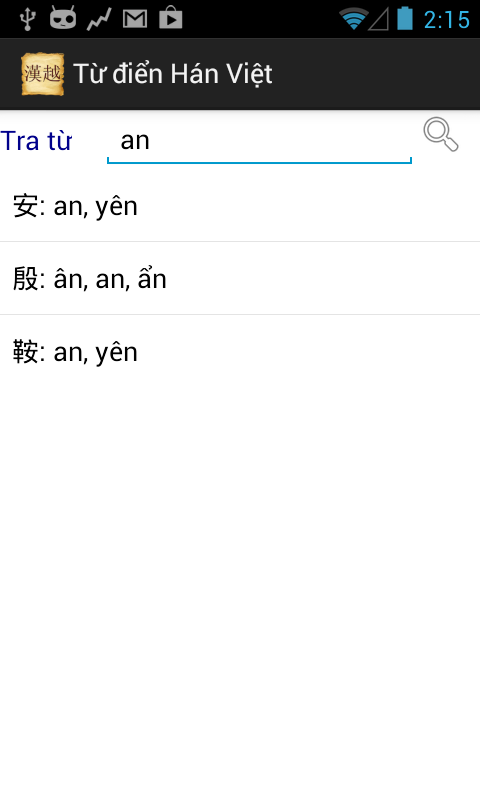
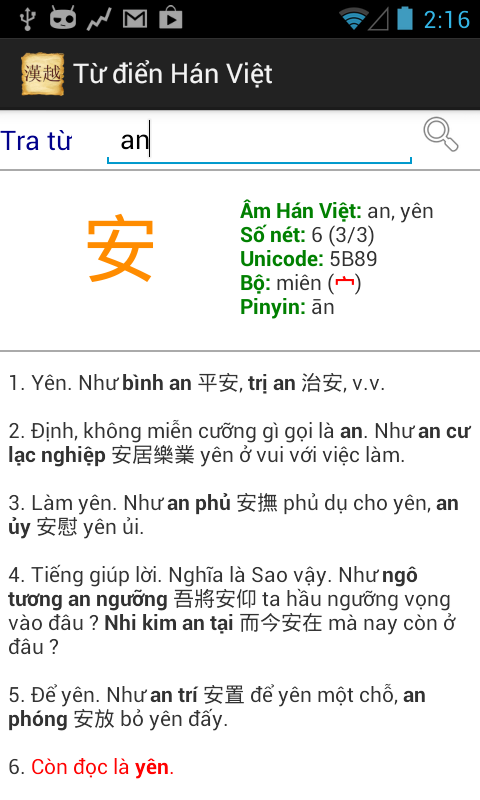
- Gõ vào ổ tìm kiếm, chọn từ trong list sổ xuống để tra từ


- Với các điện thoại nhỏ, bấm vào nhãn "Tra từ" bên cạnh ô tìm kiếm để chọn cách tra.


- Với tablet, bấm vào dropdown phía trên phần gõ từ để chọn cách tra.


Nếu bàn phím điện thoại không hỗ trợ chức năng nhận dạng chữ viết, hãy cài đặt ứng dụng nhận dạng chữ viết của Google để tiện lợi trong việc tra từ. Làm theo hướng dẫn tại trang này để cài đặt, lưu ý khi chọn ngôn ngữ nhớ chọn gói ngôn ngữ tiếng Trung (giản hoặc phồn thể)


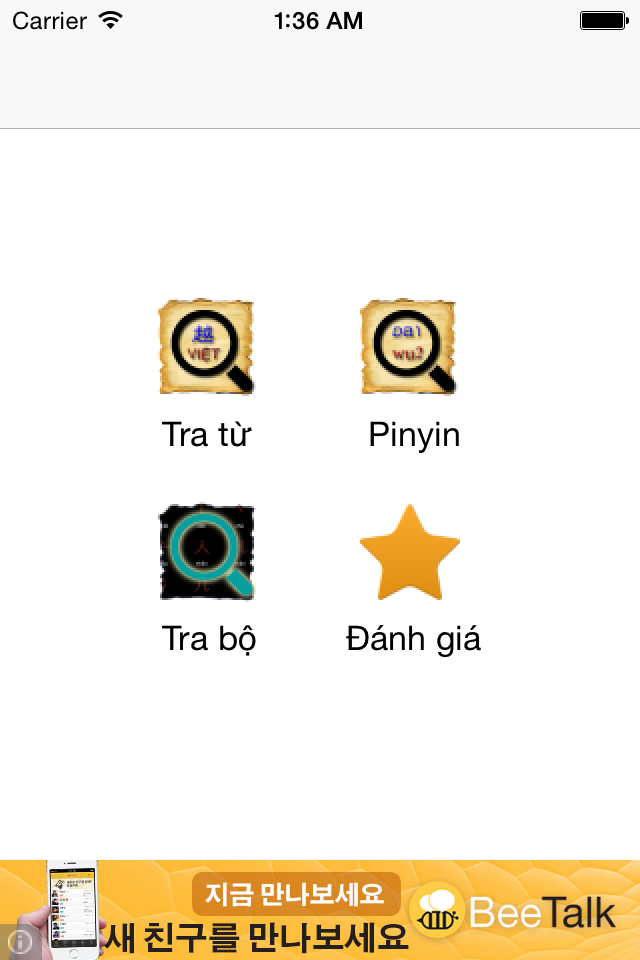
3. Từ điển Hán Việt IOS

- Từ giao diện chính, lựa chọn cách tra từ.


- Gõ từ cần tra vào ô tìm kiếm


- Tra theo mã Pinyin


- Tra theo bộ


4. Link tải ứng dụng

Ứng dụng được cung cấp hoàn toàn miễn phí trên Google Play Store và Apple Store. Nếu quí vị cảm thấy vui lòng với ứng dụng, xin dùng chức năng xóa quảng cáo để gỡ bỏ quảng cáo và hỗ trợ tác giả. Mọi đóng góp xin để lại dưới phần comment. Xin chân thành cảm ơn.
Download from Google Play
Download from Apple Store

Link đến các ứng dụng khác của tôi trên Google Play Store:
https://play.google.com/store/apps/developer?id=ILJIMAE

Link đến các ứng dụng khác của tôi trên Itunes Apple Store
https://itunes.apple.com/us/artist/quang-nguyen-dinh/id884500172

(*) Chú ý: 

- Từ điển chỉ có chức năng dịch từ từ Việt gốc Hán sang chữ Hán và ngược lại chứ không có chức năng dịch từ thuần Việt sang tiếng Hán (Ví dụ: chỉ có thể tìm được từ "nhân" (nghĩa là "người") chứ không tìm được từ "người")

Nguồn dữ liệu tham khảo:
- Tự Điển Hán Việt Thiều Chửu (http://www.viethoc.org/hannom/tdtc_intro.php)
- Hán Việt Từ Điển Trích Dẫn (http://www.hanviet.org/)